Why Growing Businesses Need More Than an Email Signature Generator
An email signature generator solves a straightforward problem: it helps someone create a professional-looking signature without designing one from scratch. For an individual professional or a very small team, that may be exactly what is needed.
The situation changes as a business grows.
More employees mean more signatures to create, more information to keep accurate and more opportunities for the company’s visual identity to become inconsistent. New employees arrive, existing employees change roles, branding evolves and different teams develop their own variations of what was originally supposed to be a standard signature.
At that point, the challenge is no longer primarily about creating an email signature. It is about managing business email signatures across an organization.
For companies using Google Workspace, recognizing that distinction can prevent a simple branding task from gradually becoming a recurring administrative problem.
An Email Signature Generator Solves the Creation Problem
Email signature generators are useful because they make design accessible.
Instead of building an HTML signature manually, a user can typically enter contact information, choose a layout, add company branding and produce a signature suitable for business email. This removes much of the design work involved in creating a polished result.
For one person, the workflow is simple: create the signature, add it to Gmail and update it when necessary.
Even within a small company, this approach can work well. A business might establish an approved design and ask each employee to create or install a corresponding version.
There is nothing inherently wrong with that model. The important question is whether the organization still has a creation problem or has developed a management problem.
Those two situations require different approaches.
Growth Changes the Nature of the Task
Consider a company with eight employees.
Marketing creates a new email signature design and distributes it internally. Everyone updates their signature, and a few minor differences are easy to notice and correct.
Now imagine the same organization after several years of growth.
There may be 80 employees across sales, operations, finance, customer service and management. Some joined recently, while others have been using Gmail since the company was much smaller. Employees have changed roles, departments have evolved and perhaps the company has updated its branding along the way.
The original process – asking everyone to maintain their own signature – has not necessarily changed. The number of people depending on that process has.
This is a common characteristic of organizational growth. A process that works perfectly well at one scale can become inefficient at another without ever being obviously “broken.”
Email signatures are a good example because the individual task remains easy. Updating one signature takes little effort. Coordinating the same standard across a growing workforce is the harder problem.
Creating a Standard Is Not the Same as Maintaining One
A company can design an excellent standardized email signature and still end up with inconsistent signatures six months later.
The reason is simple: standards change, and people change.
An employee receives a promotion but forgets to update the title beneath every email. A new hire copies a signature from a colleague whose version is already outdated. Marketing introduces a refreshed logo, while some employees continue using the previous one. Someone modifies spacing or font sizes because the signature looks different on their device.
Individually, these are minor variations. Collectively, they can gradually weaken the standard the company originally established.
The underlying issue is not the quality of the signature generator used to create the design. It is that generating a signature and maintaining a signature standard are separate activities.
A generator can help establish what a signature should look like. Ongoing email signature management addresses whether that standard remains consistent across the organization over time.
Manual Distribution Depends on Individual Action
One of the simplest ways to introduce a company-wide signature is to send employees instructions.
Marketing or IT provides the approved signature, employees add it to Gmail and everyone is asked not to modify the design.
For some organizations, particularly smaller ones, this remains a perfectly reasonable process. Its limitation is that every future change creates another round of individual actions.
A revised logo means employees need to update their signatures again. A new employee needs the current version. A title change requires that employee to remember to make the adjustment. If different teams require slightly different information, the number of versions that need to be maintained can increase.
The administrative burden does not necessarily become dramatic, but it becomes repetitive.
More importantly, the organization has limited control over whether every requested update was completed correctly. A centrally defined standard is still being maintained through decentralized actions.
That mismatch becomes more significant as the number of Google Workspace users grows.
Employee Information Is Part of the Management Challenge
Business email signatures combine two different types of information.
The first is organizational: company logo, visual structure, brand colors and other elements that should generally remain consistent.
The second is individual: employee name, job title, department, telephone number and other relevant professional details.
A generator can bring these elements together into a finished signature. In a growing organization, however, the individual information is not static.
People move between departments. Responsibilities change. New employees join. Others leave. Contact information may be updated.
This makes signature accuracy partly an employee data issue rather than purely a design issue.
The distinction is important because it changes how organizations should think about the task. If a signature contains information that reflects an employee’s current position within the company, maintaining it requires more than protecting a visual template. The information itself also needs to remain current.
For Google Workspace organizations, this is one reason centralized email signature management becomes increasingly relevant as the workforce expands.
Brand Consistency Becomes Harder to See From Inside the Company
Signature inconsistency often develops gradually, which makes it easy to overlook.
An employee generally sees their own signature far more often than those used by colleagues. Marketing may know what the approved design should be, but that does not mean the team regularly sees every variation being sent externally.
Customers have a different perspective.
Someone dealing with several departments may receive messages from employees using different logo sizes, layouts, fonts or outdated company information. None of those differences necessarily causes a serious communication problem. They simply make the organization appear less coordinated than intended.
This is why company branding in email should not be viewed only as a design exercise.
The question is not whether each individual signature looks acceptable on its own. The more useful question is whether signatures still look and behave like parts of the same organizational identity when viewed together.
Growing businesses are more likely to encounter this challenge simply because more employees create more points at which variation can occur.
Onboarding Reveals the Difference Particularly Clearly
Employee onboarding provides a practical example of the difference between signature creation and signature management.
In a manual process, someone needs to ensure that each new employee receives the correct signature, enters the right information and adds it to Gmail. Perhaps HR provides the details, Marketing owns the design and IT assists with the account.
With occasional hiring, this is manageable.
As hiring becomes more frequent, the same small task is repeated for every new employee. Different people may provide different versions of the template, and the process depends on someone remembering that the signature needs attention in the first place.
The signature itself has not become more complicated. The surrounding organization has.
This pattern is worth recognizing because it appears in many growing companies. Operational maturity often means identifying small recurring tasks that were once handled informally and deciding whether they now deserve a more structured process.
Centralized Management Addresses a Different Problem
Centralized email signature management should not be understood as simply a more advanced signature generator.
The objectives are different.
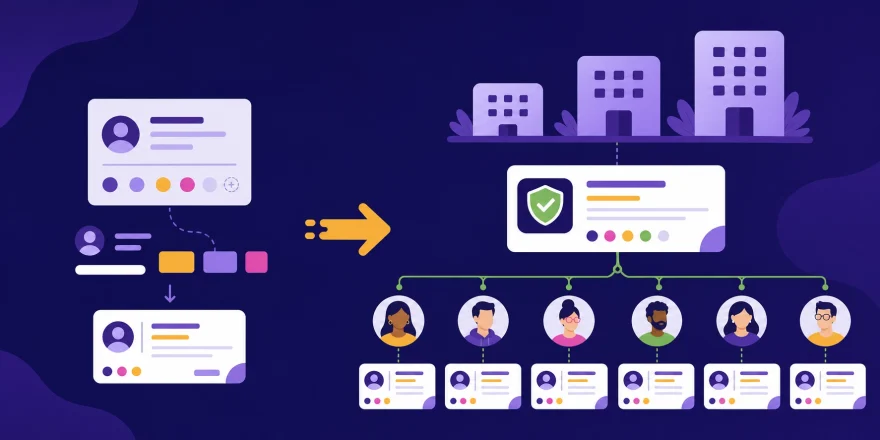
A generator primarily helps create a signature. Centralized management establishes a way for an organization to control and maintain signatures across multiple employees from a common environment.
That can provide a clearer separation of responsibilities. Employees can focus on their email communication without being responsible for maintaining company signature design, while the appropriate people within the organization can maintain the standard centrally.
For businesses operating in Google Workspace, this also keeps the discussion within the environment where employee email identities already exist.
Signite is built specifically for this purpose in Google Workspace, enabling organizations to centrally manage, standardize, automate and deploy professional business email signatures across their organization.
The value becomes more apparent when the requirement is no longer “we need a good signature,” but “we need our users to represent the company consistently.”
Not Every Business Needs Centralized Management
Growth alone does not mean that every organization immediately needs a dedicated email signature management platform.
A company with a small, stable team and infrequent branding changes may be perfectly comfortable using an email signature generator and maintaining signatures manually. Adding another management process where none is needed would provide little benefit.
The decision becomes more relevant when several conditions begin appearing together: the number of Google Workspace users is increasing, employees change frequently, multiple departments communicate externally, branding needs to remain standardized or manual updates are becoming repetitive.
There is no universal employee count at which the transition suddenly becomes necessary.
A better measure is operational friction.
If maintaining signatures requires repeated reminders, individual updates, manual checking or frequent assistance from IT, HR or Marketing, the organization may have outgrown a creation-only approach.
That is a more useful threshold than company size alone.
The Right Question Changes as the Business Grows
An email signature generator answers an important question:
What should our email signature look like?
Growing organizations eventually need to answer another one:
How do we keep that signature accurate and consistent across everyone who represents the company?
The first question is about creation. The second is about management.
Understanding the difference allows businesses to choose an approach that matches their actual stage of growth rather than assuming that a process which worked for ten employees will necessarily remain the best process for one hundred.
Professional business email signatures do not need to become more complicated as an organization expands. Ideally, the opposite happens. Employees should have less to think about, company standards should become easier to maintain and customers should encounter a consistent identity regardless of who they communicate with.
An email signature generator can be an excellent place to start. The point at which a business needs more is not defined by how sophisticated its signature looks, but by how difficult that signature has become to manage.
More From The Email Signatures Blog

What Your Email Signature Says About Your Business

The Business Value of Standardized Email Signatures